Charities spoke, CanadaHelps listened. CanadaHelps charities can expect to see a new and refreshed navigation menu. It will be available next week when you log in to your CanadaHelps account on mobile or desktop.
Keep reading to learn how and why these essential design updates will:
- Save you time
- Offer you seamless donor management
- Help you complete administrative tasks at a faster pace
Why Did CanadaHelps Refresh Charity Accounts?
It all started with a lot of consultation and conversation with charities like you–organizations that use and rely on CanadaHelps to fundraise online.
The new look and feel of CanadaHelps charity accounts that we explore here is the result of direct feedback we gathered from charities and how they use CanadaHelps tools over the last few years. To gain insight, our team then conducted research – a card sorting exercise and a ‘tree test’ with nearly 300 CanadaHelps charities – to bring you the most efficient and useful layout possible.
After surveys, tests and hundreds of hours of charity conversations, our designers took what we learned and rebuilt the account experience to align with this vision.
What Updates Are Coming?
CanadaHelps will soon unveil a more modernized look and feel to the inside of charity accounts. Charities can look forward to experiencing:
- Improved in-app navigation
- Smoother ability to locate features
- Quick access to reports, analytics, account insights and donor management
Moving the navigation menu to the left side provides easier access to the important features charities use daily.
New Left-Side Navigation Bar
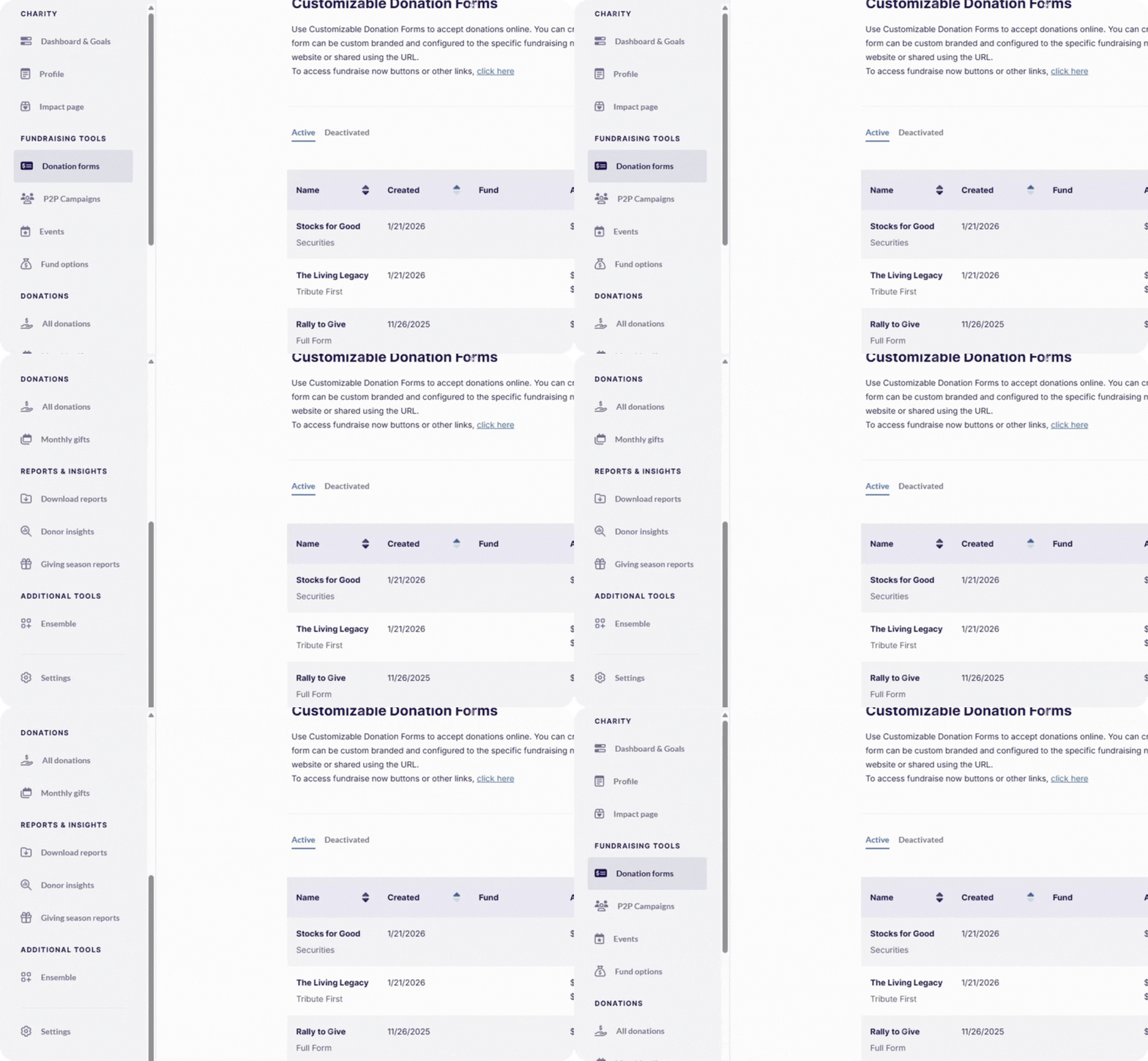
Your navigation menu will now sit on the left side of your account screen.
Get a taste of the new layout in the image above – your CanadaHelps menu now sorts your fundraising needs by what you’re trying to do, instead of a maze of sub-menus and tabs. This gives you a modernized design and makes accessing the tools and features on the menu bar easier to find, cleaner and more straightforward.
The menu bar used to be placed as a horizontal bar across the top of the page. This new left placement makes your screen feel less cluttered and helps keep the focus on the task at hand. It also features new groupings that make navigating the essential features from fundraising tools, donations, or reporting a breeze.
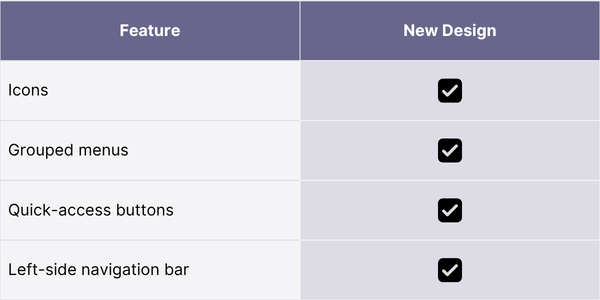
In addition, icons are now in place in the left side navigation menu! Since images communicate faster than words, these icons make CanadaHelps tools more accessible and scannable.
Updated Feature Groupings
During conversations with charities like you, we discovered that CanadaHelps’ old labelling system inside charity accounts created confusion, mainly because we used standalone tabs without groupings or categorizations with a system of subheadings.
In our new design, we fixed this! CanadaHelps user accounts now have straightforward feature groups to help charities understand what each label is for. For example, Events is listed under Fundraising Tools and ‘Profile’ is now clearly listed under Charity.
The Four New CanadaHelps Account Sections:
| Charity | Fundraising Tools | Donations | Reports & Insights |
|---|---|---|---|
|
|
|
|
This new layout neatly groups the work charities do into four subcategories. The sections make it easier for charity professionals to find functions and complete tasks.
Here’s a breakdown of the purpose of each section:
Charity: This is your home base. Set goals, view your fundraising results at a glance, and edit your Charity Profile to ensure your organization is maximizing its potential. With 5+ million donors searching and giving through CanadaHelps, the Charity Profile is your entry point to reliable digital fundraising.
Fundraising Tools: This is your access point to many of CanadaHelps’ powerful fundraising tools that you can easily customize to match your branding, messaging, and campaigns. Here is where you build custom donation forms, set up events and launch peer-to-peer fundraisers.
Donations: Here’s where you can view and manage all your gifts. You can even re-issue tax receipts, send thank-yous and complete other essential donation management functions.
Reports & Insights: In this section, you can pull reports for your board or other internal teams, and manage and view your donation data alongside other important metrics. This includes a streamlined Giving Season report to help you get ready in time for the all-important November and December months.
The four new subgroups listed above organize the information inside CanadaHelps charity accounts. Essentially, the sections make it easier to find and access CanadaHelps’ most used account features.
Faster Access to Features You Use Most
Another core upgrade is that CanadaHelps has integrated new, quick-access buttons so users can jump to frequently used features in their account more quickly.

Fund Options
Fund Options is one of the new quick-access feature buttons that, based on feedback from charities, we have brought forward for easier access and visibility. Fund Options allows charities to add, remove and manage different Funds.

Reports & Insights
As one part of these changes, you can immediately access all of your charity reports, including your ‘Giving Season Reports’ tab, rather than clicking through a Donation Reports sub-menu.
Under ‘Additional Tools,’ you’ll also find CanadaHelps’ newest product: Ensemble, a modern operating system for charity teams.
What’s Not Changing
There will be no changes to your CanadaHelps transaction fees, payments, or billing structure as part of the navigation refresh.
Charities receive the same reliable and trustworthy access to the features inside your account. These changes will only save you time and make your fundraising campaigns and accounts easier to use and manage.
Be the First to Know When the New Experience Goes Live
Be sure you sign up for our newsletter for all the latest updates to our account refresh project. A big thank you to all the charities who took the time to offer CanadaHelps your valued feedback on our charity admin account refresh project.
Frequently Asked Questions
| Will there be changes to the fees?
No, there will be no changes to CanadaHelps transaction fees, billing or pay structure with this navigation refresh. |
| Will access to any of CanadaHelps account features change?
No, charities will still have the same full account access as before. The changes are designed to make your account easier to use. Nothing else is changing. |
| Will the charity admin refresh impact both mobile and desktop?
Yes, the refreshed look and feel will apply to both mobile and desktop CanadaHelps experiences. |