In our digitized world, a charity’s website can be thought of as the “face” or “storefront” of its operations. To thrive in the current landscape, charities must provide online visitors with a website experience that is:
- Accessible for all users
- Well-designed
- Intuitive to use
As more charities centre their fundraising online, offering potential donors a seamless digital experience has become one of the most essential pieces of the nonprofit digital fundraising stack. Keep reading, and discover the foundational UI/UX web design principles charities can employ to create a high-performing digital experience. When you’re finished, download CanadaHelps’ new guidebook on designing a high-performing charity website to explore this important topic in more depth.
Before we dive deep, however, let’s start with the fundamentals of UI/UX design for charity websites.
Download our practical guide now: Foundations of Website Design for Charities.Looking to Level Up Your Fundraising Strategy?
What Is UI/UX Website Design?
UI/UX website design encompasses both the look and feel of your site and the way its design elements work together. Let’s break this down:
| User Interface (UI) | The aesthetics of your website — components like colour scheme, buttons, and icons that make up its look and feel. |
| User Experience (UX) | The structure and format of your website – creating a site that’s easy, smooth, and friendly for visitors to use. |
UI and UX design principles must coexist. Think of them as two sides of the same coin: by following both UI and UX best practices, your website will be aesthetically pleasing and easy to navigate.
Here are the core principles of user experience design to weave in throughout your website:
- Accessibility: Visitors to your site will span a range of ages and levels of tech-savviness. Accessibility means clear, simple language, intuitive layouts, and colour palettes with strong contrast and visibility.
- Usability: Your website should be easy to use. Visitors shouldn’t have to work hard to find buttons, interact with elements, or complete an action.
- User-centricity: Design around your end users’ needs first — not internal preferences or assumptions.
- Consistency: Your website should follow the patterns and norms associated with similar charity websites, fostering functional and aesthetic predictability.
- Hierarchy: A logical hierarchy helps visitors understand what’s most important on a page and where to go next.
Why Is a Well-Designed Charity Website Important?
A thoughtfully designed website can increase your charity’s impact and fundraising potential. When a site follows UI/UX best practices, it drives conversions — donations, volunteer sign-ups, email sign-ups, and more.
Effective website design starts by simplifying giving for donors. It also builds trust by showcasing your organization’s legitimacy, professionalism, and credibility to current and prospective supporters.
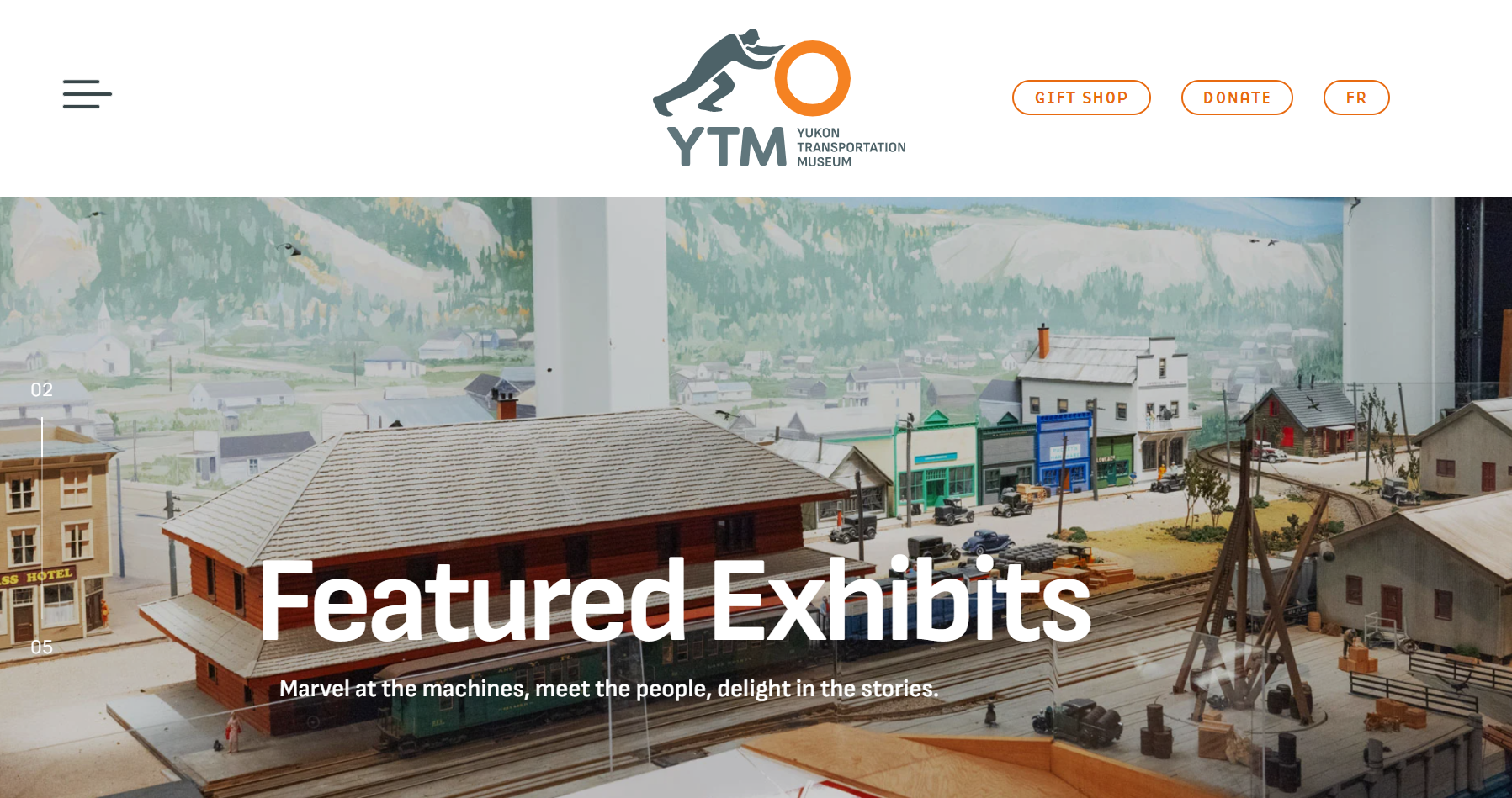
Take a look at this well-designed website from the Yukon Transportation Museum for inspiration.
Strong Design Turns Website Traffic Into Donors
When charities apply the straightforward principles outlined in this design guidebook to their own websites, the result can be stronger fundraising performance, higher donation totals, and expanded organizational impact.
How Can Charities Embrace Design Best Practices Under Financial Constraints?
Financial constraints often prevent charities from adopting new technology and best practices. Most organizations aren’t equipped to pay market-rate salaries for developers and designers to build custom, polished websites — so charities have to get creative to achieve a modern, high-converting site.
Self-serve resources, like CanadaHelps’ new website design guidebook, put the building blocks of UX design directly in charities’ hands, empowering them to implement best practices on their own terms. Every optimization in the guide is written for non-experts and can be applied without any coding or design background.
Don’t Have a Website Yet? CanadaHelps Charity Profile Is Your Solution
The strategies above are all useful for organizations who currently have a website, or at least a landing page — but how do you optimize when your organization doesn’t even have its own website yet?
If you’re operating with a landing page only, these UI/UX principles still apply to you.
For small or just-getting-started organizations without a domain of their own, CanadaHelps Charity Profile can serve as your landing page, meeting many of the same needs a full website would. It’s especially useful for charities that primarily operate through social media, like Facebook, LinkedIn, or Instagram.
Charity Profile Can Be Your Website
Charity Profile is a ready-to-use, out-of-the-box landing page. It meets the needs of a website without the cost, effort, and ongoing maintenance that building and hosting a full site requires. For small and growing charities, Charity Profile can serve as a one-stop shop for processing donations and sharing your mission.
Unpacking the “Website Dilemma” Facing Small Organizations
Investing in a robust website is worthwhile, but it can be daunting for small charities to take on. Costs, hosting, ongoing maintenance, and security concerns can all stand between a charity and its dream website. That’s where CanadaHelps Charity Profile comes in: a free solution for organizations facing this dilemma.
Six essential website needs Charity Profile meets:
| ✅ | A secure donation processing portal |
| ✅ | A one-stop, embedded giving process |
| ✅ | A place to showcase your mission, purpose, and impact |
| ✅ | An SEO-friendly landing page so new supporters can find you |
| ✅ | Fixed, uniform web design that requires no technical or coding skills to build or maintain — just simple entry fields to fill in |
| ✅ | Increased discoverability among the 5+ million donors already giving through CanadaHelps’ charity database |
With these important features, Charity Profile can extend your discoverability well beyond what a standalone website could achieve on its own.
Charity Profile Optimization Checklist
Once you’re ready to create your own CanadaHelps Charity Profile page, take the time to customize the following components and you will be in the best position to appeal to more donors and maximize your fundraising capacity:
- Write a strategic summary of your organization in the About Us section to help your charity appeal to future donors.
- Upload a photo gallery that illustrates your impact — use images (or a short video) that show what a donor’s gift makes possible, from your programs, events, or community work.
- Create a Supporter Wall to showcase testimonials, which build trust and credibility with prospective donors.
- Add a Campaigns tab to highlight your programming and share campaign results, so donors can see your impact in action.
- Upload your organization’s logo so it appears on your profile page, donation confirmation emails, and CanadaHelps search results.
- Select the most relevant categories, including your geographic location, to help the right audience find your cause.
- Register your banking information for electronic funds transfer (EFT) so you can receive donations securely, with a weekly funds transfer.
Next Steps
Now that you’re started with website design optimization, explore more simple upgrades your organization can make to deliver a more streamlined digital experience — all tailored to the specific pressures charities face, like thin margins and limited capacity. Download our guidebook on UI/UX design for charities – it covers the five core components of a strong charity website.
Download our guide Foundations of Website Design for Charities for actionable strategies and fundraising insights.Get Expert Insights on Fundraising