The Power of Coordinated Giving Moments
There are many awareness moments that charities can leverage throughout the year. Some of these may be niche, such as Rare Disease Day on February 28th, and some of them more well-known or even internationally recognized, such as International Women’s Day on March 8th.
CharityVillage maintains a Special Awareness Calendar with various days, weeks and months of awareness and for those working in a healthcare charity, the Government of Canada lists a calendar of health promotion days.
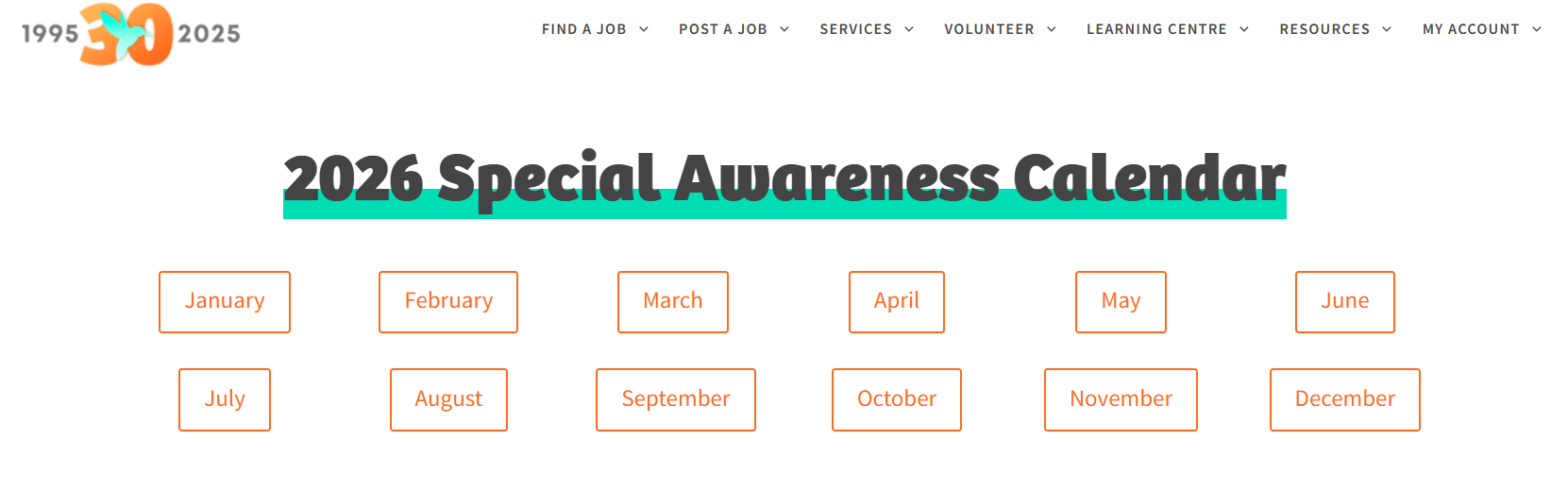
Beyond established awareness days, charities may also campaign with their own coordinated giving moments around specific goals, recurring annual events or community needs.
One of the largest opportunities that all charities can benefit from is GivingTuesday. GivingTuesday is one of the single largest generosity moments of the year, serving as the kickoff to the year-end giving season. Over 6 million Canadians participate annually, giving, volunteering or donating in-kind.
Last year, charities on CanadaHelps raised $16.2 million for their causes on GivingTuesday.
However, for all of these coordinated giving moments, getting supporters to click your link from an email or social post is only half the battle. If a donor lands on a generic, disconnected donation form, or even worse, your homepage, hesitation sets in.
Using CanadaHelps Customizable Donation Forms (CDFs) aligned with campaign-specific messaging reassures donors, creates urgency, and can boost gift conversion by signalling they are in the right place and reinforcing your campaign.
Learn more about CanadaHelps Custom Donations Forms and how it can help create a seamless donation experience.Build a tailored, GivingTuesday Donation Form
Why you should tailor your campaign for your next giving moment
It is important to keep in mind donor psychology when crafting your fundraising campaign. Decisions are often made subconsciously. Especially in a modernized world where charity donation experiences are compared against e-commerce checkouts, donors can make a subconscious decision to leave or navigate away if it is not a consistent experience.
- Signalling “You’re in the Right Place”:
- When a donor clicks through from a GivingTuesday Instagram post or email appeal, visual and verbal continuity is vital.
- If the landing page matches the imagery, tone, and campaign headlines from the ad or post, it instantly confirms trust and removes giving friction.
- Building Real Urgency & Timeliness:
- GivingTuesday is a 24-hour global movement, creating natural urgency that regular appeals lack.
- Each year we see key giving peaks occurring between 11 a.m.–1 p.m. and 6–8 p.m. on GivingTuesday. Matching the messaging and visuals between your campaign page and any social or email posts you send during these peaks helps drive immediate action rather than delayed intent.
- The Conversion Difference:
- The bottom line is that customizing your donation form with campaign branding, logo integration, and matched copy can increase conversion rates.
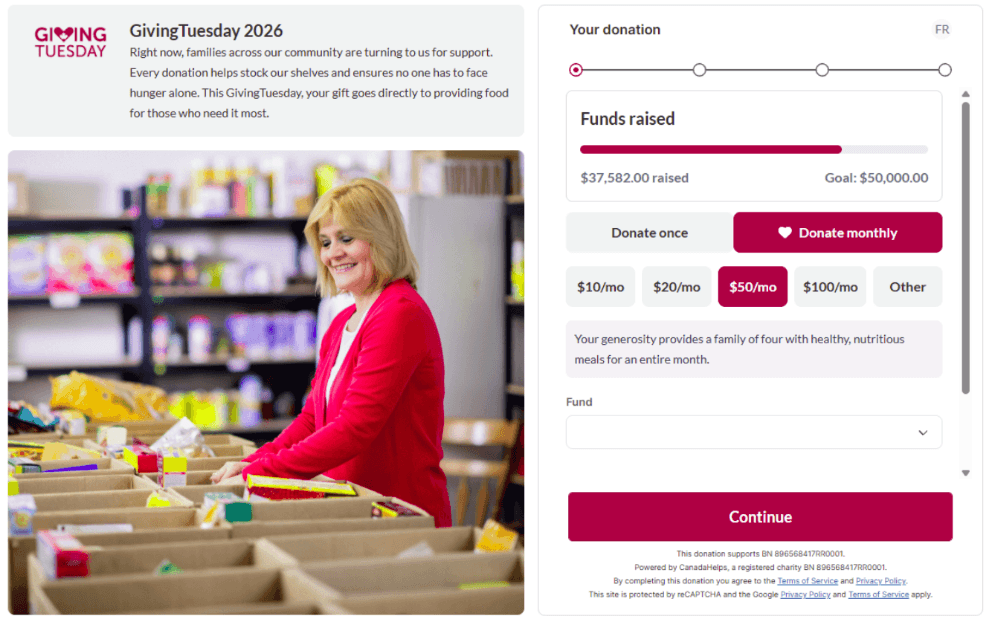
How to Tailor Your CanadaHelps Custom Donation Form (CDF)
Here’s a quick checklist to increase donation form conversions. It can be adapted for GivingTuesday or any coordinated giving campaign.
GivingTuesday Donation Form Best Practices
| Task | What to do | How to do it |
|---|---|---|
| Campaign-specific headlines and messaging | Replace default headers with GivingTuesday-specific messaging that references the campaign or any gift match. For example: “Help Repair Our Animal Sanctuary This GivingTuesday” or “Double Your Impact This GivingTuesday.” | On your CanadaHelps Donation Form:
|
| Custom campaign backgrounds | Use CanadaHelps’ pre-designed GivingTuesday backgrounds or your own imagery to create a thematic donor experience. Use the same visual identity across emails, social posts, and webpages for consistency and momentum. | On your CanadaHelps Donation Form:
|
| Impact-driven preset amounts | Set specific donation amounts and explain the tangible outcome they support—for example, “$50 provides one week of warm meals.” This quickly shows donors what their gift accomplishes and who benefits. | On your CanadaHelps Donation Form:
|
| Live progress thermometer | Add a visual fundraising goal bar to build momentum and encourage donors to help you reach your target. Progress updates can also be used in emails and social posts to keep supporters engaged. | On your CanadaHelps Donation Form:
|
| Monthly giving prompt | GivingTuesday is not only a time for one-time donations. Use monthly prompts on Multi-Step Forms to invite donors to convert their gift into ongoing support. | On your CanadaHelps Donation Form (available on Multi-Step Forms only):
|
Download your GivingTuesday Graphic Assets Today
Creating campaign assets from scratch can consume valuable time for a busy charity team. Did you know we already have GivingTuesday assets made for your charity? By leveraging CanadaHelps’ free ready-made resources and built-in form tools, you can execute a high-converting GivingTuesday campaign effortlessly.
Step 1: Download GivingTuesday Graphic Assets
- Access your ready-to-use GivingTuesday graphics such as logos, social media templates, and background images which are perfectly sized for your CanadaHelps CDF.

Step 2: Apply GivingTuesday Backgrounds to Your Custom Donation Form (CDF)
- Navigate to Donation Forms: In your CanadaHelps Charity Account, select Donation Forms and click Create New Form or edit an existing form.
- Set Up a Campaign-Specific Form: Select either a Multi-Step or Full Form layout.
- Under “Form Branding”, click Colour and Style and update the Impact Image (Multi-Step Forms)/ Background Image (Full Forms)
- Update Copy & Confirmation: Add a GivingTuesday headline and update the automated thank-you receipt email to acknowledge their participation in the movement.
Step 3: Schedule Posts Around Peak Donation Windows
- Target Peak Windows: Schedule email blasts and social media posts to align with peak donor activity times at 11:00 AM – 1:00 PM and 6:00 PM – 8:00 PM.
- Maintain Link Consistency: Ensure every email button, Instagram bio link, or social post links directly to your dedicated GivingTuesday custom donation form rather than your general home page.
Step 4: Streamline Offline-to-Online Giving with QR Codes
- Generate Form QR Codes: Hover over the form options menu in your CanadaHelps dashboard and select the QR Code icon.
- Deploy on Print Materials: Place the generated QR code on event signage, direct mailers, or posters to let in-person supporters scan and donate instantly via mobile.
When this all comes together, a supporter sees your Instagram post: “$50 provides one week of warm meals this GivingTuesday.” They tap the link and land on a form with the same headline, campaign imagery, preset $50 impact amount, and a progress bar showing the community’s collective impact. The experience confirms they are supporting the right campaign—and makes giving feel immediate
Get GivingTuesday-ready in minutes. Download CanadaHelps’ free GivingTuesday graphic assets, apply them to your Custom Donation Form, and give supporters a seamless, campaign-consistent way to give on the biggest generosity day of the year.